Day 3 :Linux command
my self Rohit kumar yadav , I am tech learner . i am always curious about to learn new technology ,I have hard working capacity with smart work, i have good time management skill , and leadership. i have good experience in marketing industry.
Linux Commands: From Basics to Advanced
Whether you’re a beginner or an experienced DevOps engineer, mastering Linux commands is essential for effective system administration, automation, and troubleshooting. This guide covers Linux commands, starting from the basics and progressing to advanced topics.
1. Basic Linux Commands
These are fundamental commands every Linux user should know.
File and Directory Management
pwd: Displays the current directory (print working directory).pwdls: Lists files and directories in the current directory.lsOptions:
ls -l: Detailed list view (long format).ls -a: Shows hidden files (files starting with a dot).
cd: Changes the current directory.cd /path/to/directorycp: Copies files or directories.cp file.txt /backup/file.txtmv: Moves or renames files or directories.mv oldfile.txt newfile.txtrm: Deletes files or directories.rm file.txtrm -r: Recursively deletes a directory and its contents.
mkdir: Creates a new directory.mkdir new_directoryrmdir: Removes an empty directory.rmdir empty_directory
2. File Viewing and Editing
These commands help in viewing or editing files.
cat: Displays the content of a file.cat file.txtless: Allows scrolling through a file page by page.less file.txthead: Shows the first few lines of a file.head file.txttail: Displays the last few lines of a file. Useful for reading logs.tail file.txttail -f file.log: Follows the log file in real-time.
nano: A simple text editor.nano file.txtvim: A powerful text editor.vim file.txt
3. User and Group Management
Managing users and groups is crucial for system security and resource control.
adduser: Adds a new user.adduser usernameusermod: Modifies user account settings.usermod -aG groupname usernamepasswd: Changes a user's password.passwd usernamegroups: Displays the groups a user belongs to.groups usernamechown: Changes the ownership of a file or directory.chown user:group file.txtchmod: Changes file or directory permissions.chmod 755 script.sh
4. Package Management
Installing, updating, and managing software is a core part of Linux system administration.
APT (for Debian/Ubuntu)
apt update: Updates the list of available packages.sudo apt updateapt upgrade: Installs the latest versions of all packages.sudo apt upgradeapt install: Installs a package.sudo apt install nginx
YUM/DNF (for RedHat/CentOS)
yum update: Updates all installed packages.sudo yum updateyum install: Installs a package.sudo yum install httpd
5. Process Management
These commands help you monitor and manage running processes.
ps: Displays a snapshot of current processes.ps auxtop: Displays real-time system resource usage.tophtop: An enhanced version oftopwith a more interactive interface.htopkill: Terminates a process by its PID (Process ID).kill 1234killall: Terminates all processes with a specific name.killall firefoxniceandrenice: Adjusts the priority of a running process.renice 10 1234
6. Disk and File System Management
Managing storage and file systems is crucial for maintaining healthy servers.
df: Shows disk space usage.df -hdu: Displays disk usage of files and directories.du -sh /path/to/directoryfdisk: A partition table manipulator.sudo fdisk /dev/sdamount: Mounts a file system.sudo mount /dev/sdb1 /mnt/usbumount: Unmounts a file system.sudo umount /mnt/usbfsck: Checks and repairs file systems.sudo fsck /dev/sda1
7. Networking Commands
Linux provides powerful tools to manage and troubleshoot network configurations.
ifconfig: Displays network interface configuration.ifconfigip: Newer tool for network management, replacingifconfig.ip addr showping: Tests connectivity to a network host.ping google.comnetstat: Displays network connections and routing tables.netstat -tulnss: Displays network connections, faster and more detailed thannetstat.ss -tulnscp: Securely copies files between systems.scp file.txt user@remote:/path/to/destinationssh: Securely connects to a remote server via SSH.ssh user@remote_host
8. System Monitoring
Monitoring the system's health is critical for performance tuning and troubleshooting.
uptime: Displays how long the system has been running.uptimevmstat: Reports virtual memory statistics.vmstat 5iostat: Reports CPU and input/output statistics.iostatsar: Collects and displays system activity information.sar -u 5free: Displays memory usage.free -h
9. Advanced Linux Commands
Advanced Networking
tcpdump: Captures and analyzes network traffic.sudo tcpdump -i eth0nmap: Network exploration tool and security scanner.sudo nmap -sP 192.168.1.0/24
Advanced File Manipulation
grep: Searches for patterns in files.grep "search_string" file.txtawk: A text-processing language.awk '{print $1, $3}' file.txtsed: A stream editor for modifying file content.sed 's/old_text/new_text/g' file.txt
System Performance and Debugging
strace: Traces system calls and signals.strace -p 1234lsof: Lists open files and the processes that opened them.lsof /path/to/filedmesg: Prints kernel ring buffer messages (useful for debugging hardware issues).dmesg
🚀 Today’s focus: mastering essential Linux commands 🖥️, but with a creative twist! Let’s turn the basics into powerful tools for problem-solving.
Task 1: View the content of a file and display line numbers.
Cat -n hello.txt
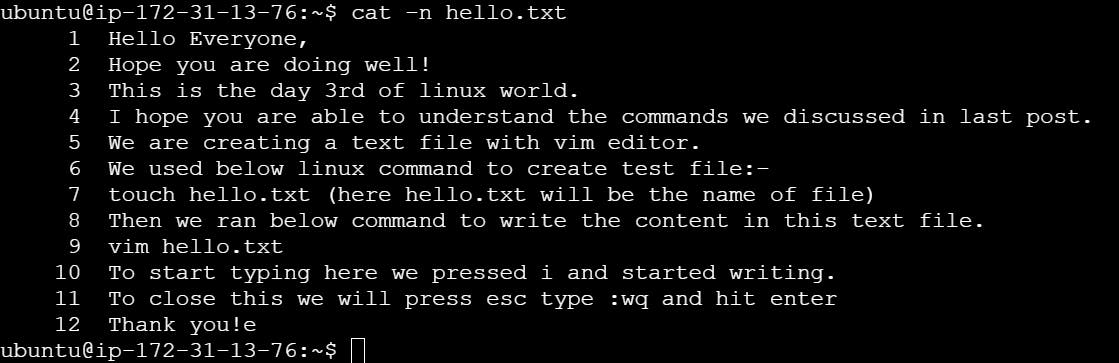
Task 2: Change the access permissions of files to make them readable, writable, and executable by the owner only.
Chmod 700 hello.txt

Task 3: Check the last 10 commands you have run.
history | tail -10
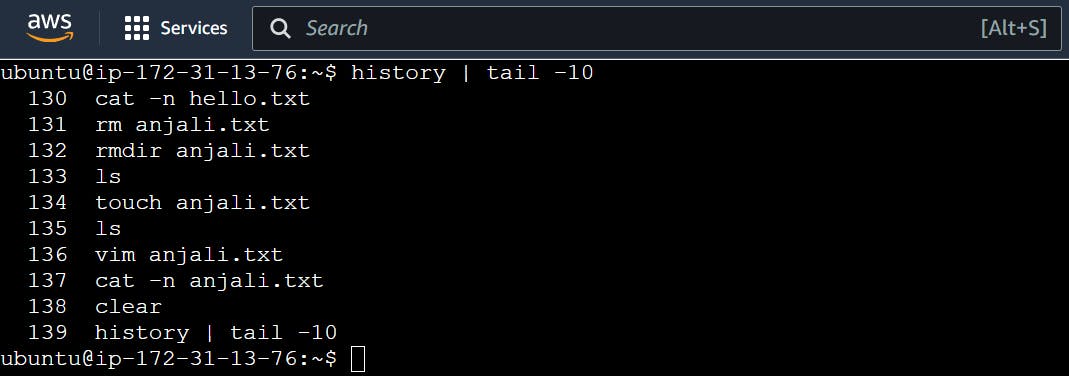
Task 4: Remove a directory and all its contents.
rmdir anjali (anjali is the directory/folder name here)
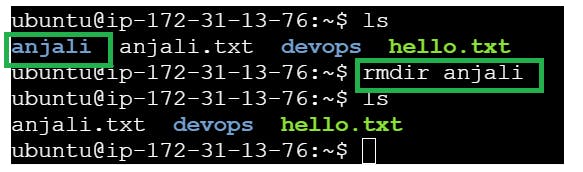
Task 5: Create a fruits.txt file, add content (one fruit per line), and display the content.
To Create file:- touch fruits.txt
To add content with Vim editor:- vim fruits.txt
To display content:- cat fruits.txt ( to display content with numbers add -n)
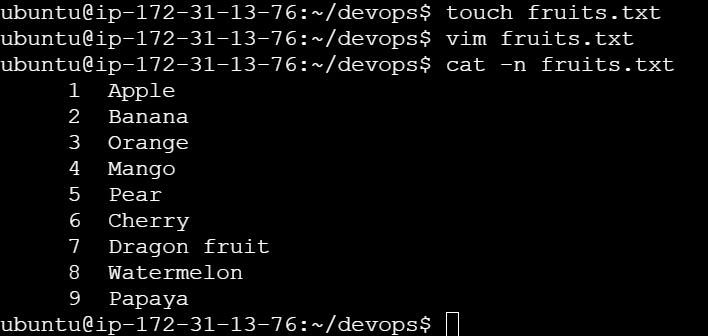
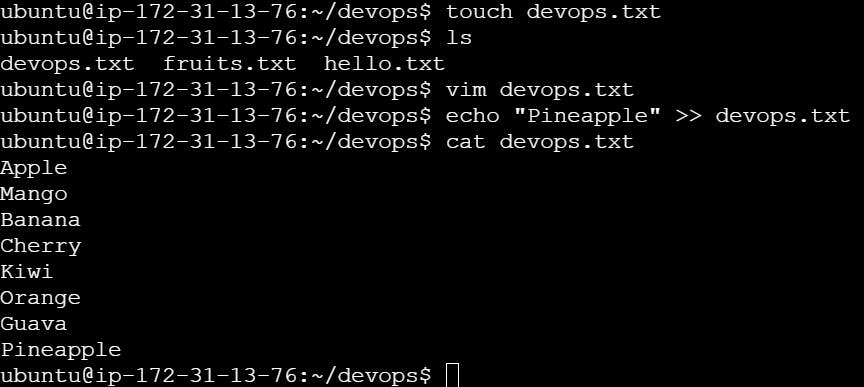
Task 6: Add content in devops.txt (one in each line) - Apple, Mango, Banana, Cherry, Kiwi, Orange, Guava. Then, append "Pineapple" to the end of the file.
echo “Pineapple” » devops.txt
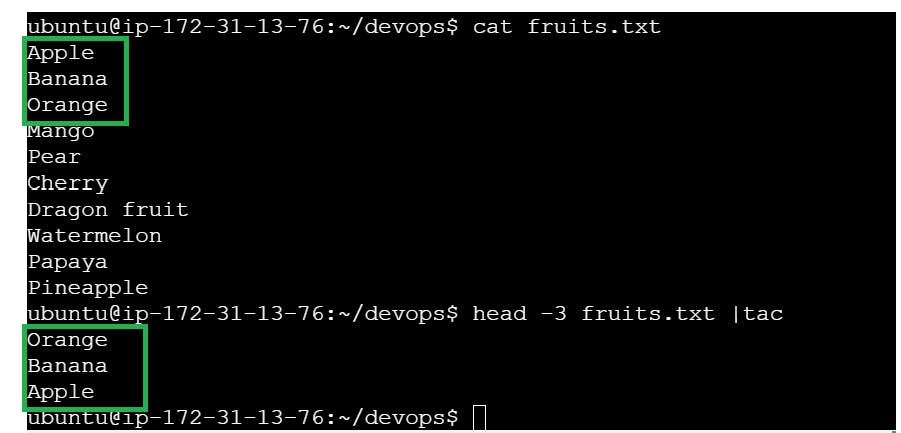
Task 7: Show the first three fruits from the file in reverse order.
head -3 fruits.txt | tac
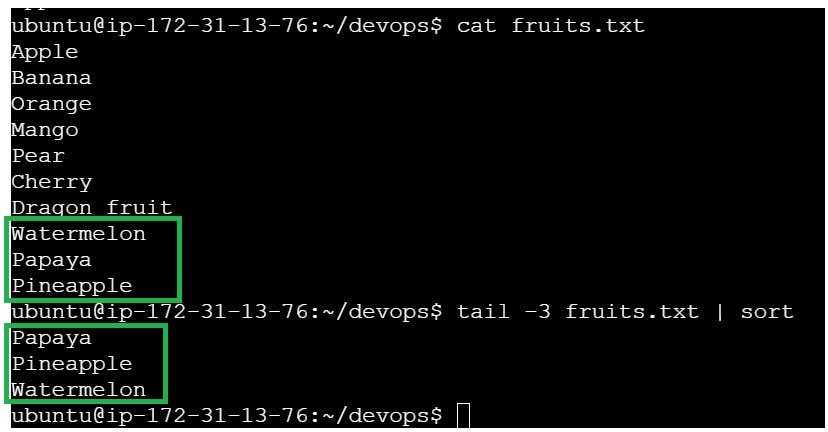
Task 8: Show the bottom three fruits from the file, and then sort them alphabetically.
tail -3 fruits.txt | sort
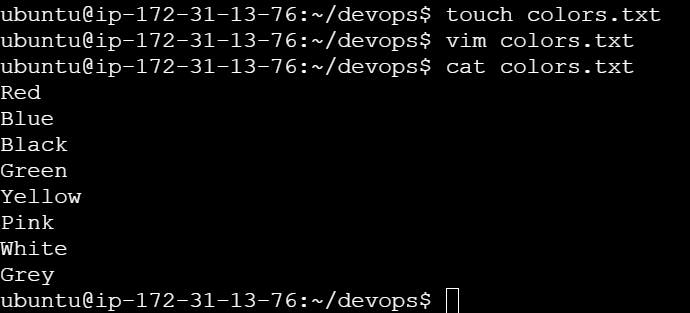
Task 9: Create another file Colors.txt, add content (one color per line), and display the content.
Method 1:-
To Create file:- touch colors.txt
To add content with Vim editor:- vim colors.txt
To display content:- cat colors.txt ( to display content with numbers add -n)
Method 2:-
echo -e “Red\nBlue\nBlack\nGreen\nYellow\nPink\nWhite\nGrey” > colors.txt

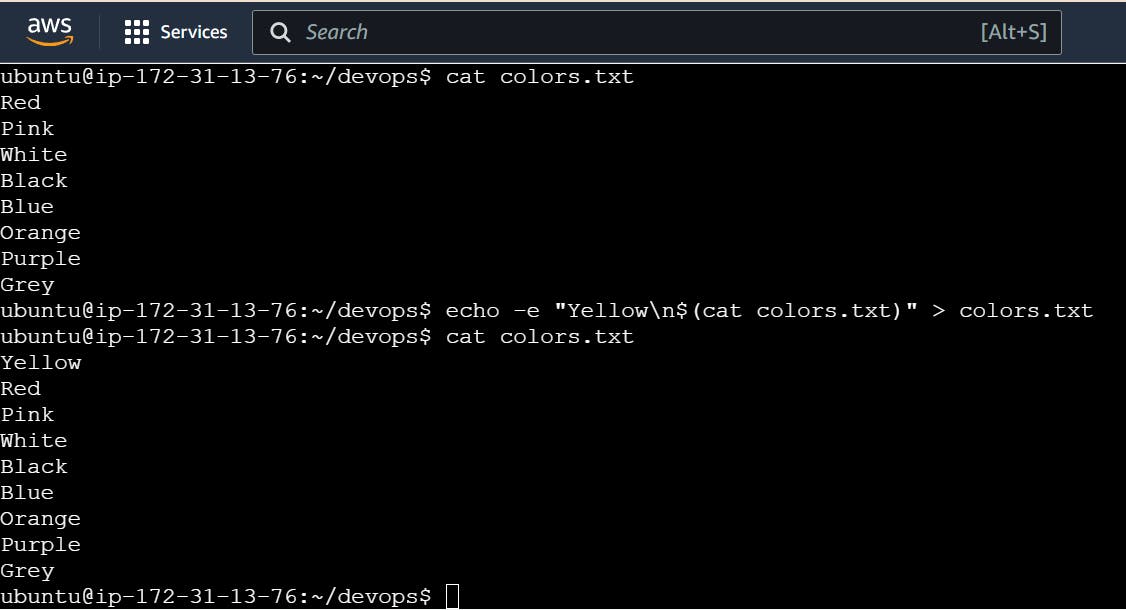
Task 10: Add content in Colors.txt (one in each line) - Red, Pink, White, Black, Blue, Orange, Purple, Grey. Then, prepend "Yellow" to the beginning of the file.
echo -e “Yellow\n$(cat colors.txt)” > colors.txt
Task 11: Find and display the lines that are common between fruits.txt and Colors.txt.
comm -12 <(sort colors.txt) <(sort fruits.txt)

Task 12: Count the number of lines, words, and characters in both fruits.txt and Colors.txt.
wc fruits.txt colors.txt

Feeling more empowered with Linux now? 💪 Keep pushing your boundaries and exploring new ways to enhance your skills! Stay tuned for more exciting tasks ahead!
Conclusion
Mastering Linux commands, from basic to advanced, is a crucial skill for any system administrator or DevOps engineer. By understanding and regularly using these commands, you can efficiently manage and troubleshoot Linux systems